Product / Specifications
Specifications
The detail, for the engineer who signs off.
Standards, protocols, limits and platform. Items marked Emulated tests are built and tested against emulated devices; confirmation on real hardware is in progress. Everything else is verified in the product's own tests.
Device administration
Every login to a router, switch or firewall gets a password, a one-time code and a privilege level that depends on who you are and where you came from.
One-time codes on WhatsApp and SMS
Codes go out on WhatsApp and fall back to SMS automatically through the provider you connect (messages are billed by that provider); directory-synced users can also receive their network passphrase by email or Telegram. Validity window, per-user rate limit and retry lockout are set in the console and apply without a restart.
Three login flows, set per device
RFC 2865 Access-Challenge by default. For devices that can't handle a challenge, phrase-OTP: type a trigger phrase to receive a code, then enter the code. As a last resort, password-only.
Password-only is fenced in
It can only be enabled on an individual NAS, never on a group or as a fleet default; the database enforces this too. Every such login is recorded as a single-factor exception.
Four-tier policy inheritance
Each setting resolves device, then device group, then vendor default, then global default, independently. The console shows which tier a value came from.
Jump-server source-IP enforcement
A read-write engineer gets read-write access only from a write jump server, read-only from a read jump server and nothing from elsewhere.
Roles mapped per vendor
User types such as read-write, read-only, automation and looking-glass map to each vendor's own RADIUS groups, so one account means the right privilege on every platform.
Ready-made vendor profiles Emulated tests
Privilege and reply attributes come pre-filled for the common network brands (for example Cisco, Juniper, Arista, MikroTik, Fortinet, Aruba, Huawei, HPE) and are editable in the console. The tables are built from vendor documentation and have not been run against every vendor's hardware.
Challenge state can't be forged
The RFC 2865 State attribute is derived with a server secret, single-use and valid only while the server holds it, so a challenge can't be forged or replayed.
Passwordless push, with number matching
For any RADIUS device: type push as the password, open the link on your phone, pick the number the device is showing and confirm with your passkey (Face ID, fingerprint or PIN). A stray approval tap can't let an attacker in, because the number must match.
Passkeys for the console
Administrators sign in with a passkey — Face ID, Touch ID, Windows Hello or a security key — alongside password with TOTP and SSO.
TACACS+: per-command control Emulated tests
People sign in to routers, switches and firewalls with their Authcha accounts (TACACS+, TCP 49). A profile gives a privilege level from 0 to 15 and an ordered list of permit and deny command patterns; a policy says which users get which profile on which group of devices. No policy, no login, and no code is sent.
TACACS+ accounting Emulated tests
Logins, logouts and every command are recorded, kept for 180 days by default (7 to 3650 is configurable) and searchable in the console. Same accounts, password rules, lockout and one-time code as the RADIUS logins; both can run on one server, even for the same device. Command rules are tested against emulated devices; vendor-specific behaviour is being confirmed in the lab.
Network access control
Laptops authenticate with 802.1X; everything without a supplicant is allowed by MAC. Both land in a device class that decides VLAN, QoS, bandwidth and how long they stay.
802.1X with EAP-TTLS
PAP inside a TLS tunnel, checked against the same bcrypt credential store as device logins. Supplicant setup guides cover the common operating systems.
802.1X with certificates (EAP-TLS)
A built-in certificate authority issues user and device certificates as a .p12 or from the device's own CSR. Every handshake is checked against the console, so a revocation takes effect at once, and the session belongs to the certificate's owner, whatever the device claims. The RADIUS server certificate renews itself.
RadSec (RADIUS over TLS)
Switches, controllers and firewalls can send RADIUS over a mutually authenticated TLS connection instead of UDP with a shared secret. Authcha issues each device a certificate bound to the addresses it connects from, and checks it on every request, so a revoked certificate stops a device that is already connected.
CoA and Disconnect over RadSec Emulated tests
For a device with a RadSec certificate, Authcha can send CoA and Disconnect over TLS to the device's RadSec port instead of UDP 3799. It is off by default, set per certificate, with a test button, and devices without it keep using UDP. Tested against a software peer, not against vendor hardware.
Certificate enrollment with EST and SCEP Emulated tests
Devices fetch their own 802.1X certificates instead of an administrator issuing each one. EST (RFC 7030) is the recommended protocol; SCEP (RFC 8894) is there for MDMs and devices that only speak it. A profile sets the device class, lifetime, key limits and a daily cap; secrets are one-time by default, and Authcha chooses the certificate's name, never the request. Interoperability has been verified with open-source clients; the Intune, Jamf Pro, Apple and Windows settings in the guide are configuration guidance, not vendor-tested.
No NT hashes, by design
Passwords are stored only as bcrypt, so PEAP-MSCHAPv2 is not offered. If your fleet depends on it, talk to us before you evaluate.
MAC Authentication Bypass
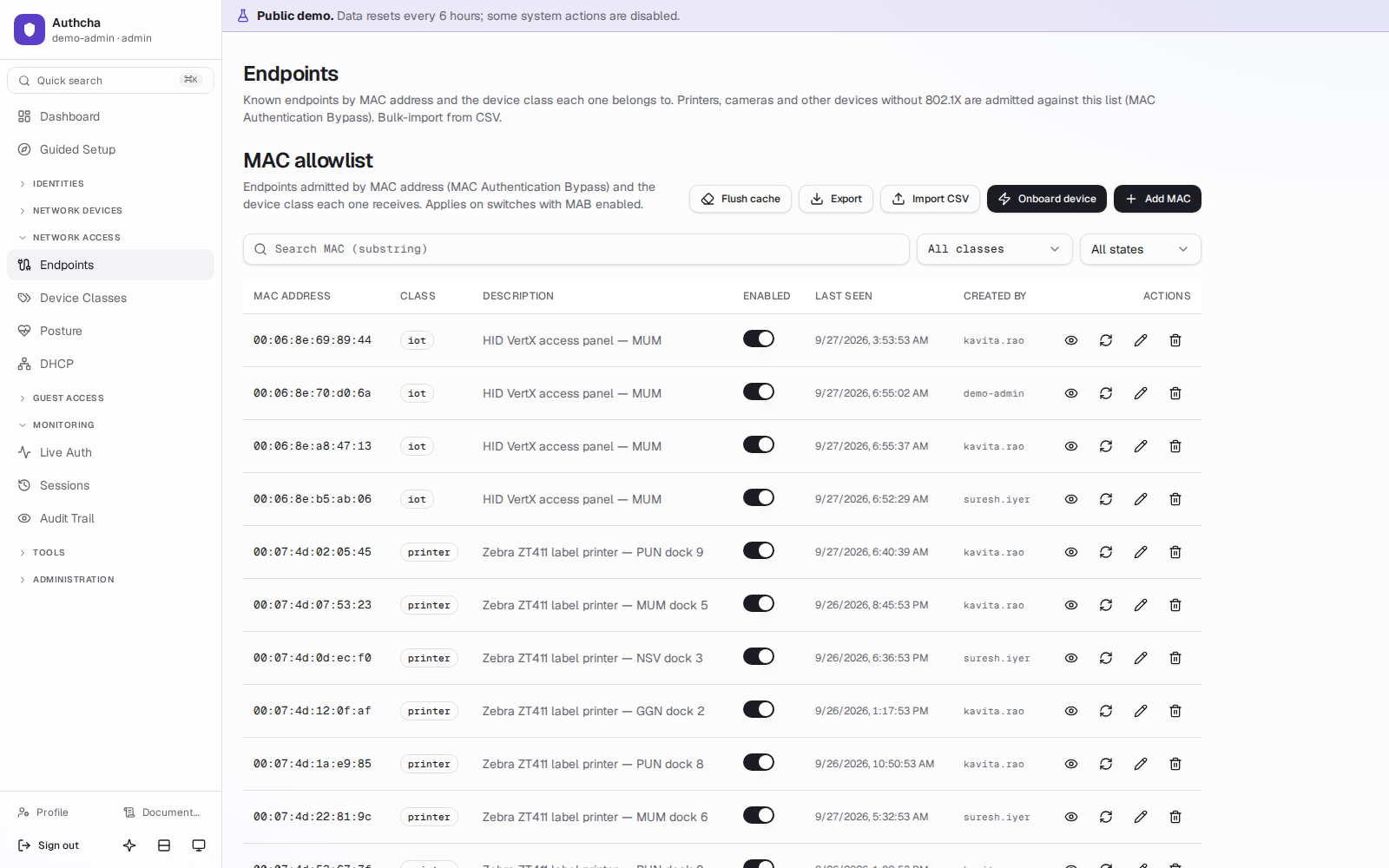
Opt-in per NAS. Lookups are cached in Redis (5 minutes for hits, 60 seconds for misses) so a link-flap storm doesn't flatten the database. CSV bulk import included.
Access rules
First-match rules decide what an accepted 802.1X or MAB session gets: a device class (VLAN, QoS, timeout) or a rejection with your message. Conditions include authentication method, user type, device class, switch group, SSID, days and time, endpoint posture and MDM compliance, and a built-in tester shows which rule would fire.
MDM compliance (Intune, Jamf Pro) Emulated tests
Access rules can ask whether your MDM reports a device compliant. Authcha syncs device compliance from Microsoft Intune and Jamf Pro in the background and decides from its own copy, matched by MAC address. Stale, unmatched or unknown data is never treated as compliant. It follows the vendors' published APIs and has been tested against simulated ones, not against live tenants.
Device classes
Per class: VLAN, QoS filter, bandwidth, session timeout and monthly traffic quota, with per-MAC overrides. Changes reach the cache within seconds.
Classification suggestions
Rules over DHCP fingerprints (option 55, vendor class, hostname) suggest a class for unknown MACs. Suggestions only; an operator always confirms.
Kea DHCP coexistence
Manage subnets and reservations in Authcha and they sync live into Kea. Keeping your own DHCP server? A passive listener can still observe fingerprints.
Quotas with RFC 5176 CoA
A sweeper checks accounting every 5 minutes. A device that exceeds its quota is disconnected mid-session with CoA-Disconnect, and every attempt is logged.
Endpoint sessions
Current and past sessions from RADIUS accounting, with a one-click disconnect.
Device profiling
Works out what a device is from its MAC vendor, DHCP fingerprint (options 55, 60, 12), accounting and portal browser string, with no outside service. Suggests a class; an operator confirms. DHCP evidence needs the DHCP snooper to see the client's traffic.
Network Policy and Vendor Profiles Emulated tests
Write what you want once (speed, data, websites, network segment) in a Network Policy. Vendor Profiles translate it for each device type, and the Groups page decides who gets which policy. Any reply attribute from a dictionary of about 7,000 names can be sent. Device Profiles can be exported and imported. Translation is verified in the console and in emulated tests; effect on every vendor's real gear is being confirmed.
Self-service password reset
Network users can reset their own password (off by default).
Guest access
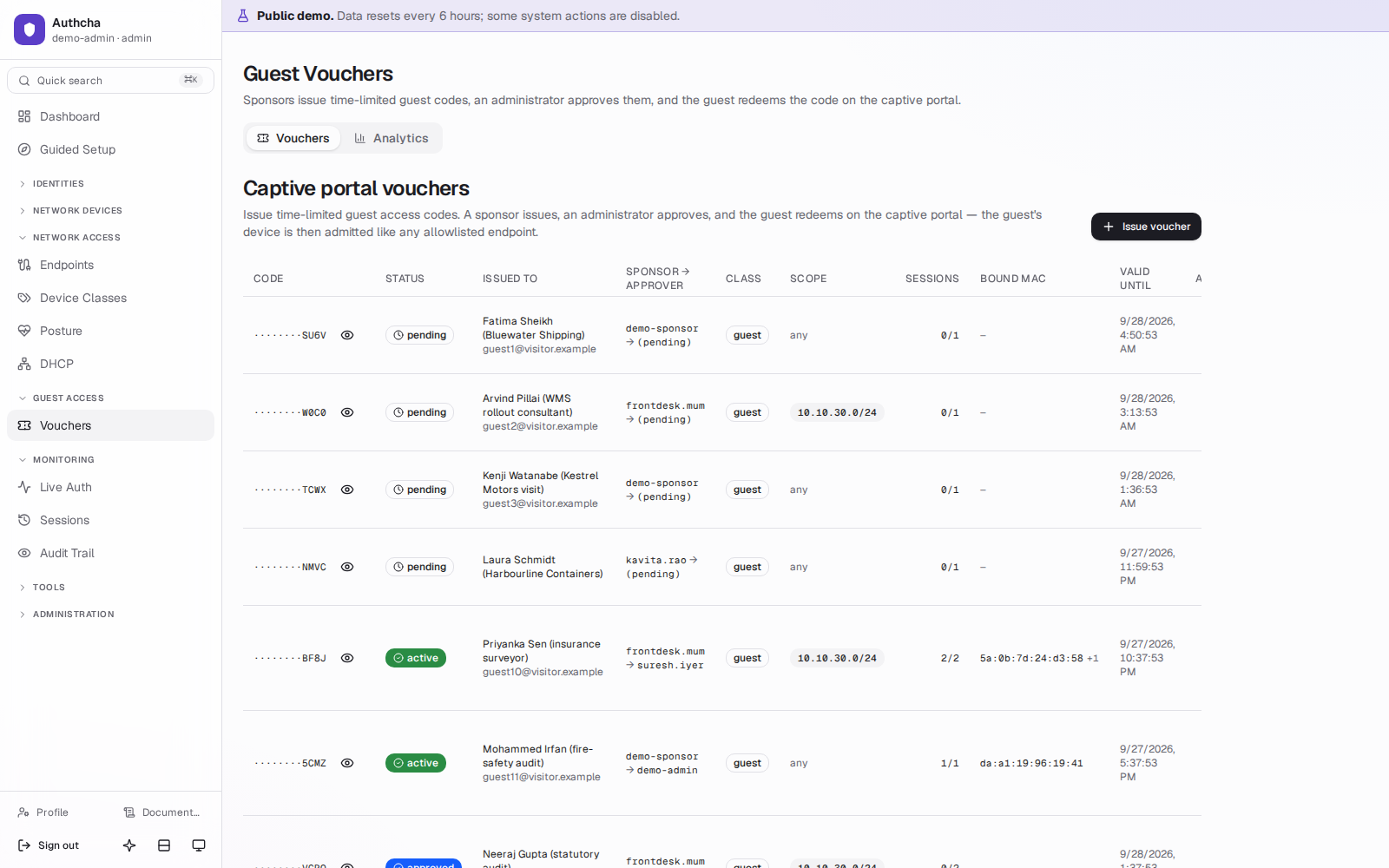
Visitors get a voucher, not a shared Wi-Fi password. Who issued it, who approved it and which device used it are all on record.
Separation of duties
A sponsor (front desk, reception) can issue vouchers but not approve them. An admin approves. Sponsors see only their own vouchers and nothing else in the console.
Captive-portal redeem page
A public, rate-limited page at /redeem that your captive portal can embed. Redeeming binds the voucher to the guest's MAC and hands off to the MAB pipeline.
Anti-enumeration
Every failed redemption gets the same generic response. The actual reason (bad code, not approved, expired, wrong device) is recorded only in the redemption log.
Guest self-registration
Visitors register at /guest with their name and e-mail address, confirm it from a one-time link, and get a voucher straight away, or after a sponsor approves. Domain allow and deny lists, terms of use and rate limits are built in.
Employee device portal
Employees sign in through Authcha's own identity provider with a passkey, or a password and one-time code, register their own devices within a per-person limit and optional expiry, and can create and revoke their own certificate.
Scoping and expiry
Vouchers can be scoped to a subnet and expire automatically, taking their network access with them.
A sign-in page that fits your brand
One calm layout for phones, tablets and desktops: your name and colours, five languages, light and dark, large touch targets, and the sign-in form first with vouchers and codes as clear alternatives under it.
Guest gateways Emulated tests
Hosted sign-in pages and connectors are built for pfSense, MikroTik, OpenNDS, CoovaChilli, FortiGate, Cisco WLC, UniFi, Omada, Aruba, Ruckus, Mist and Meraki. They have been tested against emulated gateways; confirmation on real hardware is in progress. Setup pages list exactly what to configure on each.
Vouchers by API
Administrators can create a voucher already approved with one call, and the approval is still recorded in the audit trail.
A disconnect that sticks
When a voucher expires, a quota runs out or an admin ends a session, the gateway is told to drop the device, and the portal page appears again by itself.
Web and usage control
Decide what each person can reach and how much they can use, and enforce it at the firewall you already run.
Web policies per person Emulated tests
Allow-lists or deny-lists of sites, categories and file types, applied by Squid on pfSense and kept in step by a small agent. A change in the console reaches the firewall in moments.
A blocked page that explains itself
People see a styled page that names the site instead of a raw proxy error. Sites over HTTPS need Squid to decrypt with a CA your devices trust; the guide shows the setup.
Speed and data limits
Per-user bandwidth, daily and monthly data quotas, slow-down after a threshold, and a warning before the limit. Counters never go backwards, so a restart can't hand quota back.
Fixed addresses and routes
Give a user a set address and routes, including routes pushed to OpenVPN clients on pfSense through client-specific overrides that the agent keeps in step.
Safe by design
The agent only touches what it created, rolls back on error, and logs every skipped item, so it never overwrites a rule or override you made by hand.
Endpoint posture
The Authcha posture agent reports on a laptop's health; the RADIUS reply depends on it. Non-compliant devices are contained, not locked out.
Posture agent for Windows and Linux
Reports antivirus, firewall, disk encryption, patch level, and custom registry and process rules as signed reports over TLS. Each device has its own key and token.
Monitor first, then enforce
Start a policy in monitor mode to see who would be restricted, with a grace period for new devices, then switch to enforce.
Restrict, not reject
A device that isn't compliant gets the remediation network you choose (VLAN, filter, session limit) instead of its normal reply, and is moved back automatically when it's fixed.
Reporting and alerts
Compliance rate, 30-day trend, the checks failing most, per-device history and CSV export. Alerts by email or webhook when compliance drops.
One-line agent rollout
Install and enroll the agent with one command per device, or roll it out with a fleet token through Intune, Group Policy or Ansible. Agents update themselves with Authcha.
Clear scope
Posture applies to 802.1X sessions, bound to the device by MAC address. Printers on MAB and engineers on OTP logins are not posture-checked, by design.
Operations
A console for the NOC and the security team, with the audit trail an auditor will ask for.
Live Log
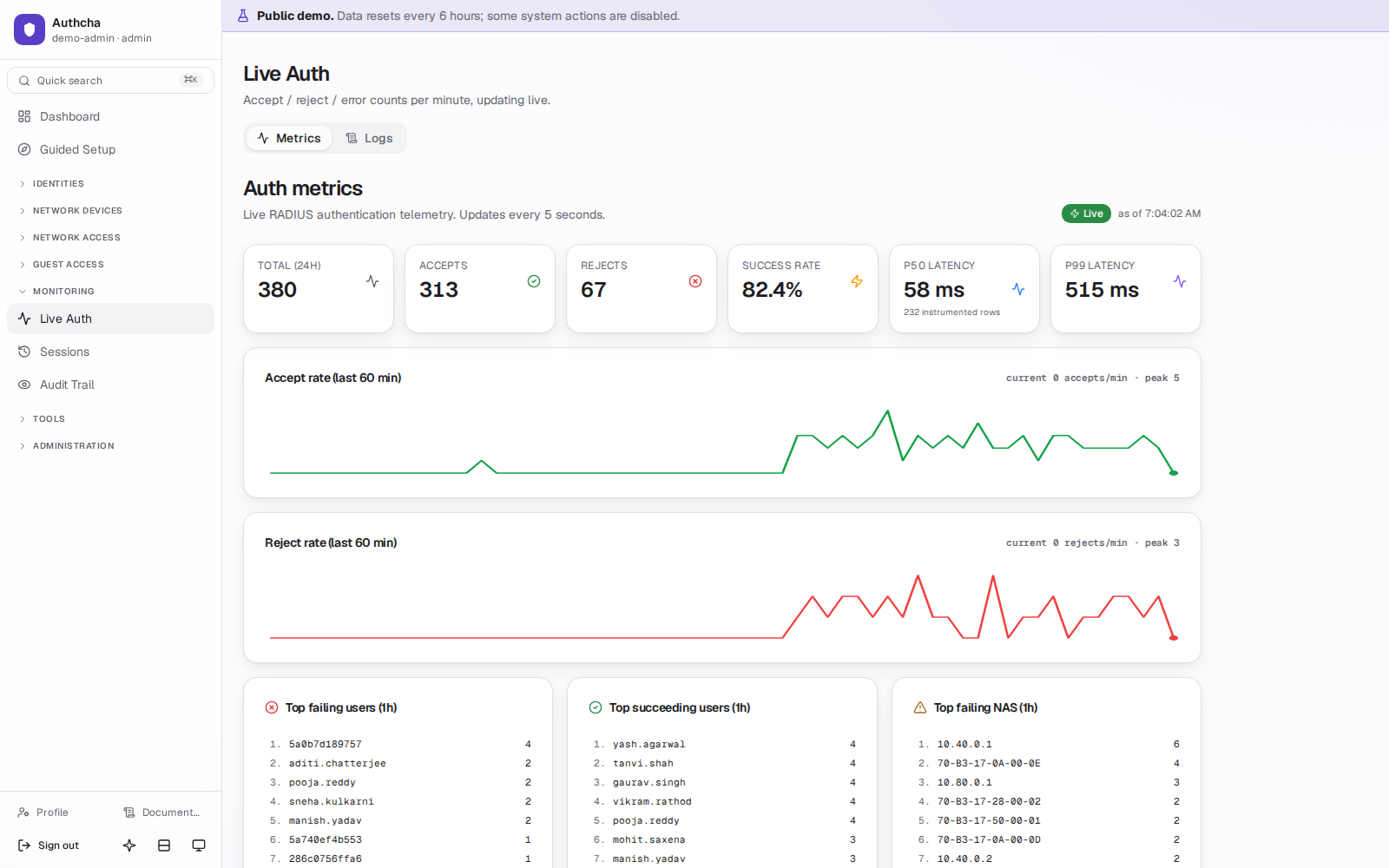
Watch requests arrive in real time, with the flow each one took and the reason it was accepted or rejected.
Answer-time percentiles (p50, p99)
Opt-in latency capture on every accept and reject, charted on the dashboard.
Auth simulator
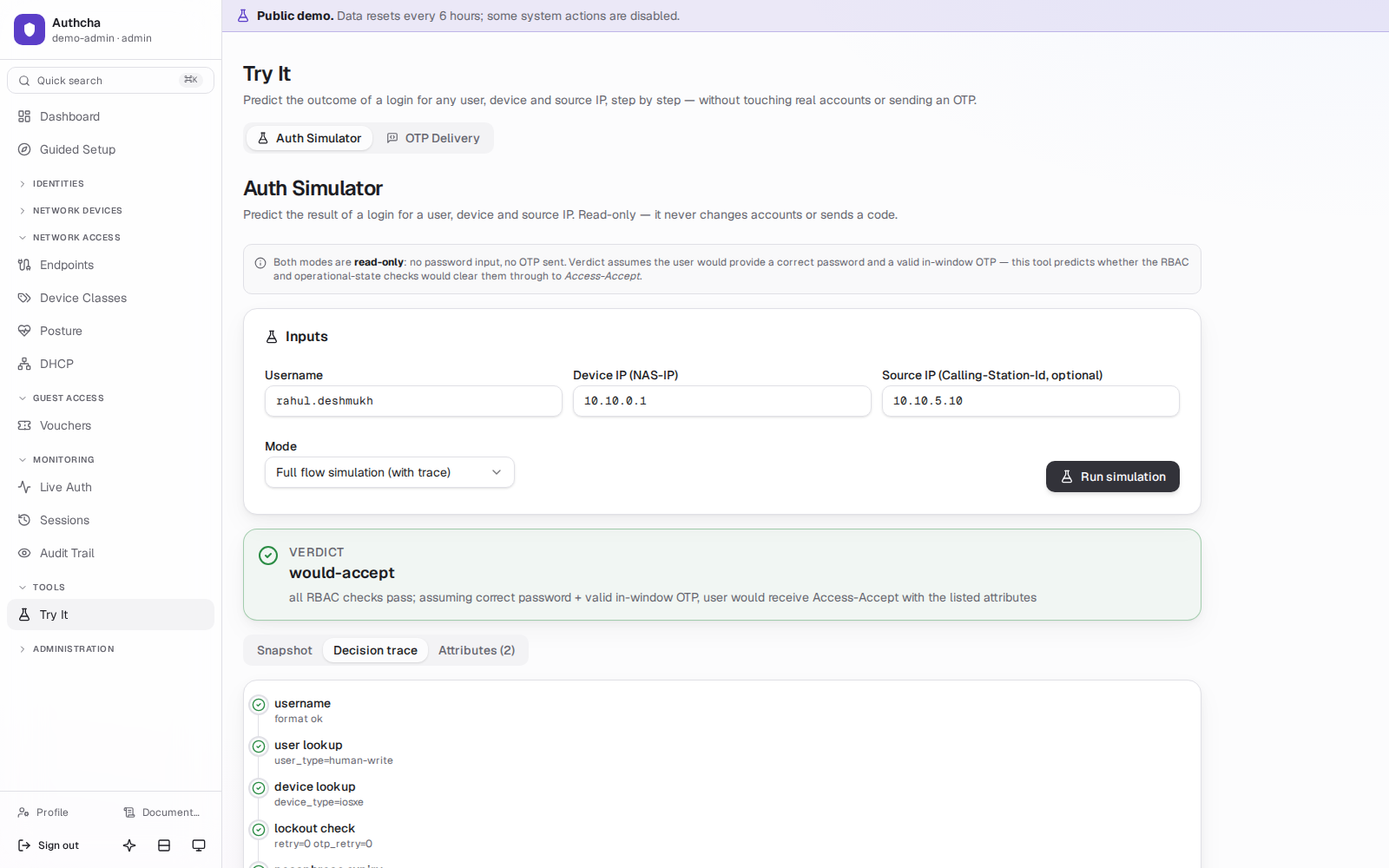
Run a login through the real pipeline from the console to reproduce a user's problem.
SIEM event streaming
Send security events to Splunk, Microsoft Sentinel, QRadar, Elastic or Graylog over syslog (CEF, LEEF or JSON) or HTTPS. Authcha tracks what each destination has received and retries through receiver outages and restarts (except over UDP, which cannot confirm delivery).
Audit trail with permalinks
Every mutating admin request is recorded automatically, with who, what, when and source IP. Each entry has a link you can paste into a ticket.
OTP event history
Sent, verified, rejected, expired and bypassed codes, so single-factor exceptions stand out.
Admin sign-in
OIDC single sign-on with local login kept as break-glass, TOTP for admins, and roles for admin, read-only viewer and sponsor, scoped by device class and user type.
Authcha as an identity provider
Sign your team into other applications with their Authcha passkey. Standard OpenID Connect: authorization code with PKCE, JWKS-verified tokens, rotating refresh tokens, a built-in playground to try it.
API tokens
Scoped tokens for scripts and automation, stored as Argon2id hashes.
LDAP and FreeIPA sync
Pull users from your directory instead of re-keying them.
Backups and restore drill
Backups every 6 hours with checksums, 14-day rotation and optional offsite copy. A weekly drill restores one to prove it works.
Guided setup and safe config edits
A guided first-run setup, and a RADIUS config editor that rolls back automatically if the server doesn't come back up.
Sessions that update by themselves
The Sessions page refreshes every few seconds and says when it last did, so it is always the picture of the network right now.
Update check and changelog
The console checks a signed release feed and tells you when a newer version exists, with the notes of every release beside it. Turn it off if the server has no internet.
DHCP with Kea
Leases in the console, MAC reservations that sync live, and a warning when an unknown DHCP server answers on your network.
Essentials or Advanced, your density
Show only the pages you use every day, or everything; set the interface compact, default or roomy. The sidebar changes the moment you switch.
Learn inside the console
Animated diagrams of how a sign-in, a portal visit, a web policy and a voucher work, and guided flows with checklists that link to the right pages.
Sign in with your identity provider (SAML 2.0) Emulated tests
Administrators can sign in through Microsoft Entra ID, Okta, ADFS, Keycloak or Google Workspace. Roles come from the groups the provider sends. Authcha checks the signature, issuer, audience, destination, recipient and validity times, and rejects replayed answers. Local emergency sign-in stays available. Not covered: single logout and encrypted assertions. Interop is documented per provider and still being confirmed on real tenants.
Second-administrator approval
Sensitive changes can require a second administrator to approve them. API token lifetimes can be capped.
Undo and a clear reason
Bulk changes can be undone for a short time after a delete, and a "Why was this login rejected?" explainer turns a reject into plain words.
Reminders and alerts
Expiry reminders by email or chat webhook, and an alert when a known device goes quiet.
Record retention
Choose how long history is kept; the default is 180 days.
Open API and metrics
A REST API with scoped tokens (OpenAPI 3.1) and a Prometheus metrics endpoint, so you can connect Authcha to your other tools.
Resilience and recovery
Built so a bad day for the internet, a license or a server does not become a bad day for your network.
Logins never wait on the license
An expired license pauses new provisioning only: new admins, devices, users and vouchers. One-time-code logins, 802.1X and MAC-bypass keep working and existing devices are untouched.
Install and license with no internet
Download and verify the release on any connected computer (--download-only), carry the bundle across and install with --bundle. Offline licenses are activated with a certificate. Upgrading offline is not supported yet.
Two-server standby Emulated tests
A standby node keeps a live copy of the database (streaming replication) and a virtual IP moves to whichever node is primary. Promotion is deliberate and manual: one command, about a minute. There is no automatic failover and no extra capacity. See the high-availability guide for what a failover loses.
Updates that roll back
Update from the console or sudo authcha upgrade: the release is verified, a backup is taken first, and the update rolls back automatically if something fails. Automatic upgrades are optional.
Backups that are tested
Every 6 hours, with checksums and a 14-day rotation. A weekly drill restores one and records pass or fail.
Your data stays on your server
Single-tenant, no Authcha cloud. The only calls home are the license check and the update check (which you can switch off). Delivery providers you configure, such as SMS or WhatsApp, are called from your server.
Platform and limits
What it runs on, which ports it uses and what each plan allows.
| Operating system | Ubuntu 22.04 or 24.04, Debian 12 or 13, RHEL, Rocky Linux or AlmaLinux 9. Linux x86-64 only. |
|---|---|
| Packaging | Docker containers: FreeRADIUS, PostgreSQL, Redis, the console, an operations sidecar and a TLS proxy. One command installs it and generates every secret. |
| Hardware, to try it | 2 CPU cores, 4 GB RAM, 20 GB disk |
| Hardware, recommended | 4 to 8 cores, 8 to 16 GB RAM, 50 GB SSD. For production, 8 or more cores, 16 to 32 GB RAM and 100 GB or more of SSD. |
| Ports in | 443/tcp console; 1812 and 1813/udp RADIUS; 49/tcp TACACS+ if used; 3799/udp for cutting sessions; optional 2083/tcp RadSec, and 8444/tcp and 80/tcp only if devices enroll their own certificates. |
| Ports out | HTTPS to get.authcha.cloud and license.authcha.cloud (a proxy works; not needed for offline installs), plus the delivery providers you configure. |
| Standards | RADIUS (RFC 2865, 2866), CoA and Disconnect (RFC 5176), RADIUS over TLS, 802.1X with EAP-TTLS and EAP-TLS, TACACS+, EST (RFC 7030), SCEP (RFC 8894), OpenID Connect, SAML 2.0, syslog (CEF, LEEF, JSON) and Splunk HEC, OpenAPI 3.1. |
| Not supported | PEAP-MSCHAPv2 and other MS-CHAP methods, PPPoE or subscriber billing, and posture agents for macOS. |
| Plan limits | Starter 50 network devices and 3 admins; Professional 500 and 15; Enterprise unlimited. A trial covers every module and up to 100 devices for 30 days. |
Illustrative figures
How a request travels. Names and addresses are made up.
Illustrative: an SSH login with a one-time code
-
Access-Requestcode 1
User-Name = "priya.noc"
User-Password = ••••••••
Calling-Station-Id = "10.8.0.14" -
Access-Challengecode 11
Reply-Message = "Enter the code sent to you"
State = 0x9f3c… - One-time code delivered to Priya on WhatsApp, with SMS as the automatic fallback.
-
Access-Requestcode 1
User-Password = "482913"
State = 0x9f3c… -
Access-Acceptcode 2
Cisco-AVPair = "shell:priv-lvl=15"
Illustrative: how one server answers three kinds of request
Looking for the short version? The product page shows each job as a short recording. The full documentation is at the demo site.
See it work on real data.
The public demo has sample people, devices, guest codes and live logins. Sign in as an admin, a front-desk sponsor or a read-only viewer. Or install your own in one command.
- No credit card
- Every feature for 30 days
- Runs on your own server
$ curl -fsSL https://get.authcha.cloud | sudo bash -s -- --trial you@company.com
  ✓ Authcha downloaded and verified
  ✓ Authcha is running