Everything Authcha does, by job.
Five areas, one deployment. Device administration is on from the start; the rest you switch on when you need it, with no migration.
Device administration
Every login to a router, switch or firewall gets a password, a one-time code and a privilege level that depends on who you are and where you came from.
One-time codes on four channels
Codes go out on WhatsApp, Telegram, SMS or email. Validity window, per-user rate limit and retry lockout are set in the console and apply without a restart.
Three login flows, set per device
RFC 2865 Access-Challenge by default. For devices that can't handle a challenge, phrase-OTP: type a trigger phrase to receive a code, then enter the code. As a last resort, password-only.
Password-only is fenced in
It can only be enabled on an individual NAS, never on a group or as a fleet default; the database enforces this too. Every such login is recorded as a single-factor exception.
Four-tier policy inheritance
Each setting resolves device, then device group, then vendor default, then global default, independently. The console shows which tier a value came from.
Jump-server source-IP enforcement
A read-write engineer gets read-write access only from a write jump server, read-only from a read jump server and nothing from elsewhere.
Roles mapped per vendor
User types such as read-write, read-only, automation and looking-glass map to each vendor's own RADIUS groups, so one account means the right privilege on every platform.
30+ vendor attribute profiles
Privilege and reply attributes pre-seeded for Cisco IOS, IOS-XE and IOS-XR, Juniper Junos, Nokia SR OS, Arista, MikroTik, Fortinet, Palo Alto, Aruba, Huawei, HPE, F5 and more. Editable in the console.
Challenge state is signed
The RFC 2865 State attribute is HMAC-signed, so challenge state can't be forged by anyone without the key.
Network access control
Laptops authenticate with 802.1X; everything without a supplicant is allowed by MAC. Both land in a device class that decides VLAN, QoS, bandwidth and how long they stay.
802.1X with EAP-TTLS
PAP inside a TLS tunnel, checked against the same bcrypt credential store as device logins. Supplicant setup guides cover the common operating systems.
No NT hashes, by design
Passwords are stored only as bcrypt, so PEAP-MSCHAPv2 is not offered. If your fleet depends on it, talk to us before you evaluate.
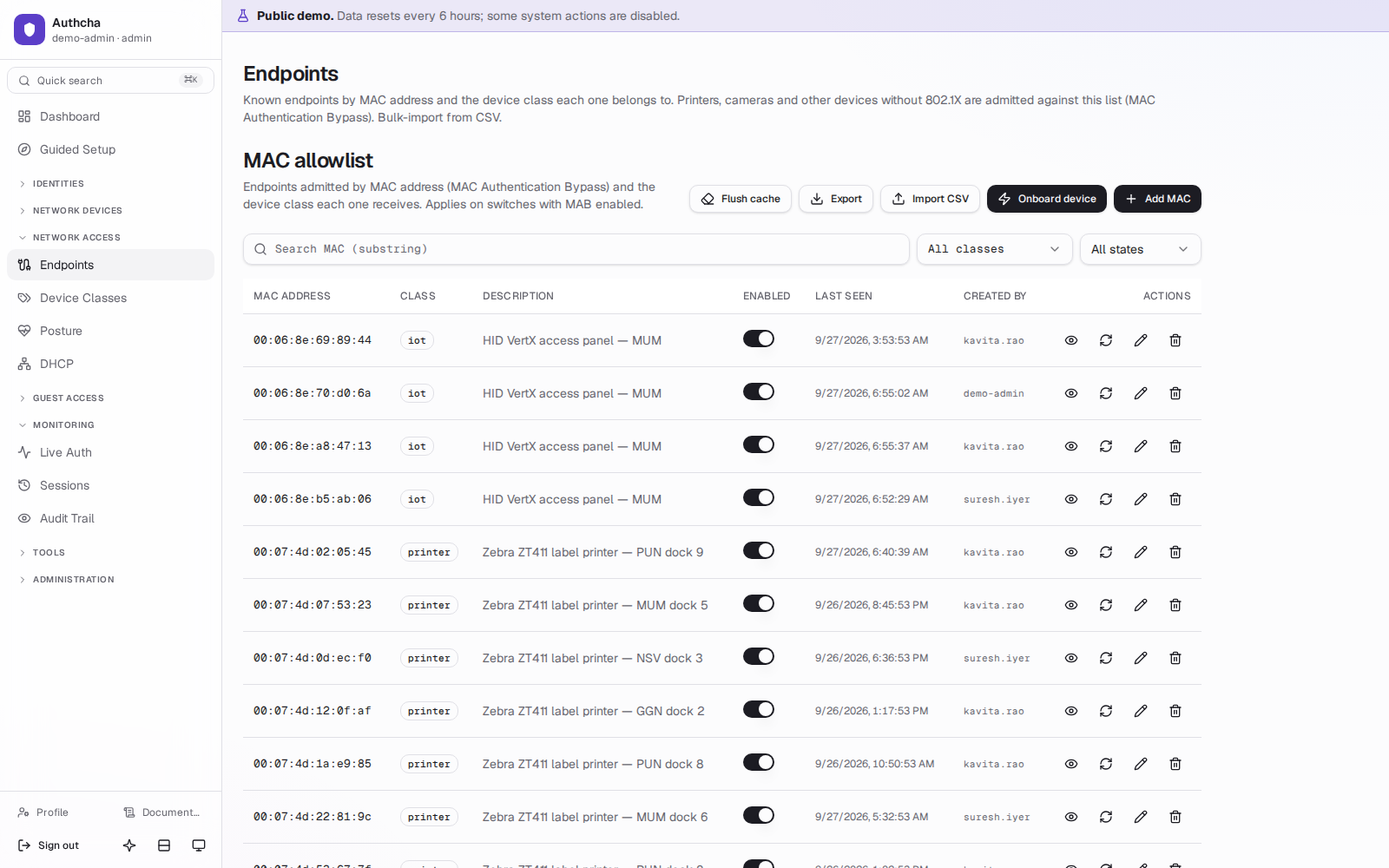
MAC Authentication Bypass
Opt-in per NAS. Lookups are cached in Redis (5 minutes for hits, 60 seconds for misses) so a link-flap storm doesn't flatten the database. CSV bulk import included.
Device classes
Per class: VLAN, QoS filter, bandwidth, session timeout and monthly traffic quota, with per-MAC overrides. Changes reach the cache within seconds.
Classification suggestions
Rules over DHCP fingerprints (option 55, vendor class, hostname) suggest a class for unknown MACs. Suggestions only; an operator always confirms.
Kea DHCP coexistence
Manage subnets and reservations in Authcha and they sync live into Kea. Keeping your own DHCP server? A passive listener can still observe fingerprints.
Quotas with RFC 5176 CoA
A sweeper checks accounting every 5 minutes. A device that exceeds its quota is disconnected mid-session with CoA-Disconnect, and every attempt is logged.
Endpoint sessions
Current and past sessions from RADIUS accounting, with a one-click disconnect.
Guest access
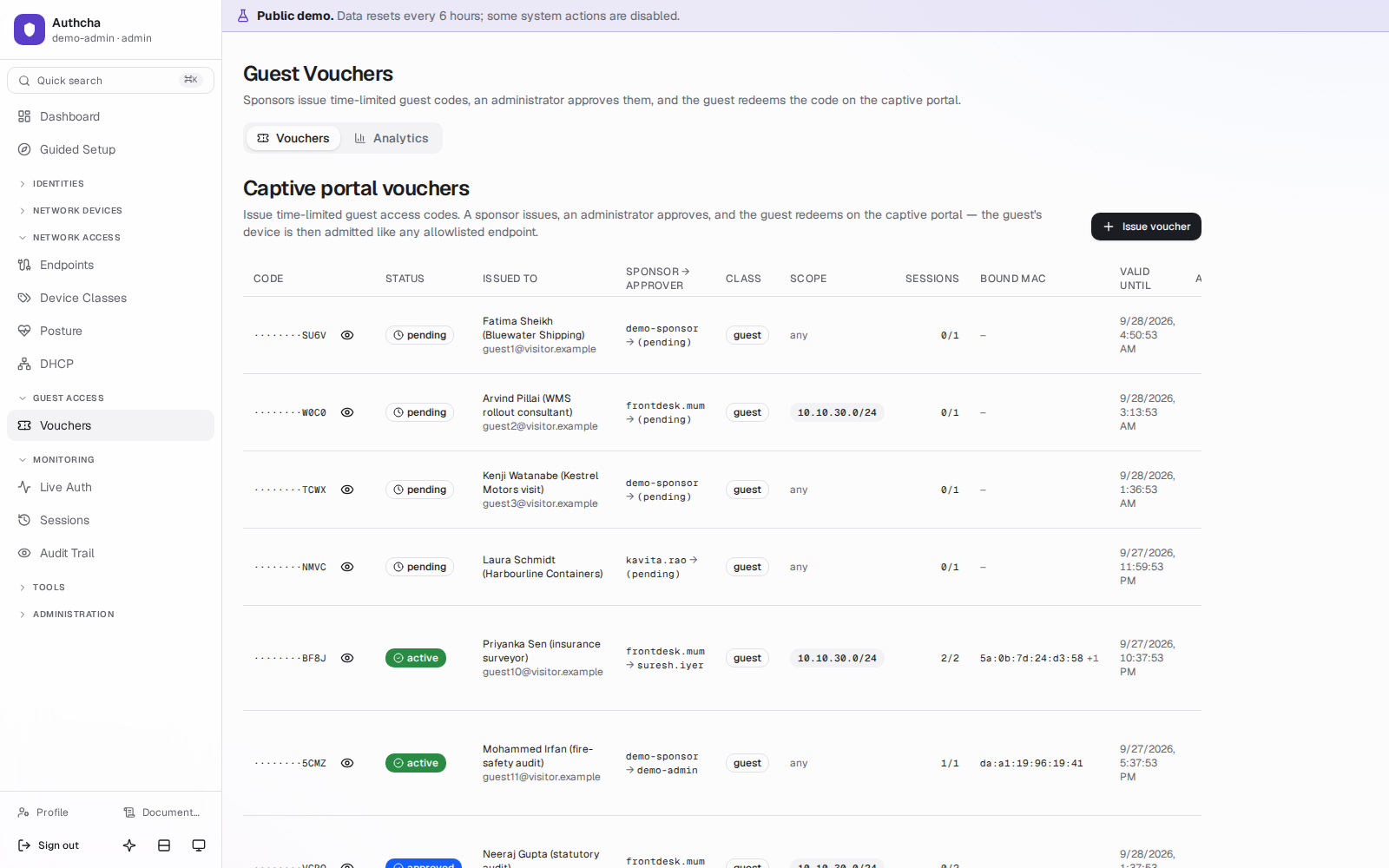
Visitors get a voucher, not a shared Wi-Fi password. Who issued it, who approved it and which device used it are all on record.
Separation of duties
A sponsor (front desk, reception) can issue vouchers but not approve them. An admin approves. Sponsors see only their own vouchers and nothing else in the console.
Captive-portal redeem page
A public, rate-limited page at /redeem that your captive portal can embed. Redeeming binds the voucher to the guest's MAC and hands off to the MAB pipeline.
Anti-enumeration
Every failed redemption gets the same generic response. The actual reason (bad code, not approved, expired, wrong device) is recorded only in the redemption log.
Scoping and expiry
Vouchers can be scoped to a subnet and expire automatically, taking their network access with them.
Endpoint posture
The Authcha posture agent reports on a laptop's health; the RADIUS reply depends on it. Non-compliant devices are contained, not locked out.
Posture agent for Windows and Linux
Reports antivirus, firewall, disk encryption, patch level, and custom registry and process rules over a signed, mutually authenticated gRPC stream.
Restrict, not reject
At login, a non-compliant enrolled device gets the quarantine class's VLAN, QoS and session timeout instead of its normal reply.
Drift-triggered CoA
If a device goes from compliant to non-compliant mid-session, Authcha sends one CoA-Disconnect so it re-authenticates into quarantine. Devices that stop reporting are marked stale.
Policy per device class
Pick which checks are required for each class. An empty policy enforces nothing, so turning posture on is a deliberate step.
Signed agent releases
Agent updates are published per platform with a signed manifest from the console.
Clear scope
Posture applies to 802.1X sessions. Printers on MAB and engineers on OTP logins are not posture-checked, by design.
Operations
A console for the NOC and the security team, with the audit trail an auditor will ask for.
Live auth stream
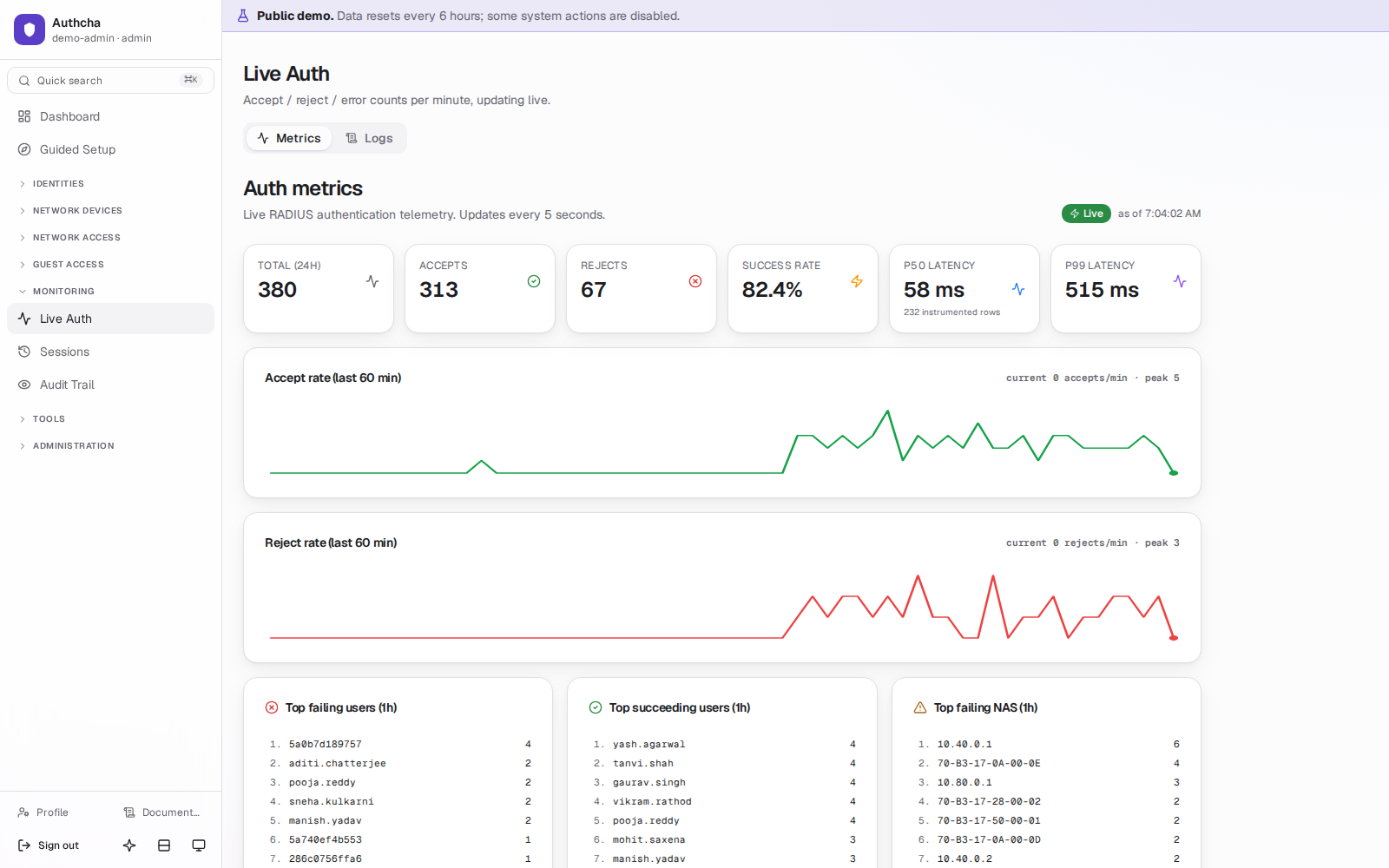
Watch requests arrive in real time, with the flow each one took and the reason it was accepted or rejected.
p50/p99 latency
Opt-in latency capture on every accept and reject, charted on the dashboard.
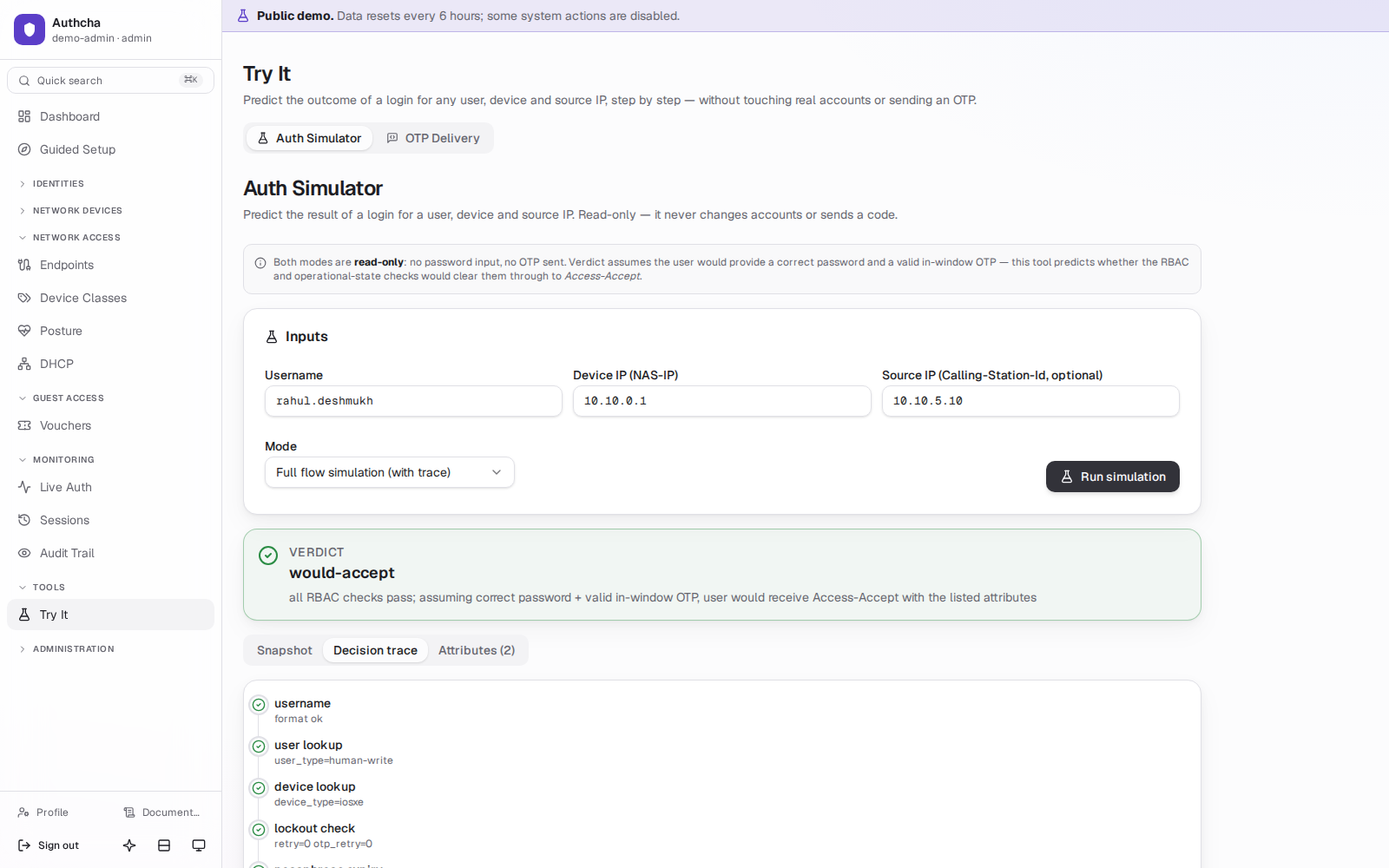
Auth simulator
Run a login through the real pipeline from the console to reproduce a user's problem.
Audit trail with permalinks
Every mutating admin request is recorded automatically, with who, what, when and source IP. Each entry has a link you can paste into a ticket.
OTP event history
Sent, verified, rejected, expired and bypassed codes, so single-factor exceptions stand out.
Admin sign-in
OIDC single sign-on with local login kept as break-glass, TOTP for admins, and roles for admin, read-only viewer and sponsor, scoped by device class and user type.
API tokens
Scoped tokens for scripts and automation, stored as Argon2id hashes.
LDAP and FreeIPA sync
Pull users from your directory instead of re-keying them.
Backups and restore drill
Backups every 6 hours with checksums, 14-day rotation and optional offsite copy. A weekly drill restores one to prove it works.
Guided setup and safe config edits
A guided first-run setup, and a RADIUS config editor that rolls back automatically if the server doesn't come back up.
Not sure which parts you need? Most deployments start with device administration alone and add NAC later. See how ISPs, campuses and government networks use it, or read the documentation.
Log in to a working Authcha instance.
The public sandbox has sample devices, users, vouchers and live auth traffic. Use it as an admin, a read-only NOC engineer or a front-desk sponsor.