One RADIUS for everyone who logs in, and everything that plugs in.
Authcha puts one-time-code two-factor on router and switch logins, 802.1X and MAC bypass on access ports, vouchers on guest Wi-Fi and posture checks on laptops. One on-premises deployment, one user store, instead of separate RADIUS, NAC and posture products.
Runs in Docker on your own hardware. License verified offline. No telemetry.
-
Access-Requestcode 1
User-Name = "priya.noc"
User-Password = ••••••••
Calling-Station-Id = "10.8.0.14" -
Access-Challengecode 11
Reply-Message = "Enter the code sent to you"
State = 0x9f3c… - One-time code delivered to Priya on WhatsApp. Telegram, SMS and email work the same way.
-
Access-Requestcode 1
User-Password = "482913"
State = 0x9f3c… -
Access-Acceptcode 2
Cisco-AVPair = "shell:priv-lvl=15"
Three auth flows, chosen by the shape of the request.
You don't run a separate server for each job. Authcha reads each Access-Request and sends it down the right path, against the same PostgreSQL user store.
For engineers
SSH and console logins to network gear get a second factor, a role tied to the jump server they came from, and the vendor's own privilege attributes.
For endpoints
Laptops use 802.1X. Devices that can't run a supplicant are allowed by MAC and placed by device class.
For visitors
A voucher, redeemed on the captive portal, becomes a time-limited MAC entry on the guest network.
What's in the box.
Past the core OTP flow, every capability is opt-in. Turn on what your network needs, against the same running deployment.
Device administration
Two-factor for everyone who logs in to a router, switch or firewall.
Device administration in detail- OTP on WhatsApp, Telegram, SMS or emailPassword first, then a one-time code on the channel your team already uses.
- A flow for every NASRFC 2865 Access-Challenge, a single-step phrase-OTP, or audited password-only, set per device.
- Jump-server enforcementEach role is accepted only from its management segment; the source IP decides the privilege.
- 30+ vendor profilesPrivilege attributes pre-seeded for Cisco, Juniper, Arista, MikroTik, Fortinet, Huawei and more.
Network access control
Decide what gets a port, which VLAN it lands in, and when it gets cut off.
Network access control in detail- 802.1X with EAP-TTLSLaptops authenticate against the same user store your engineers use.
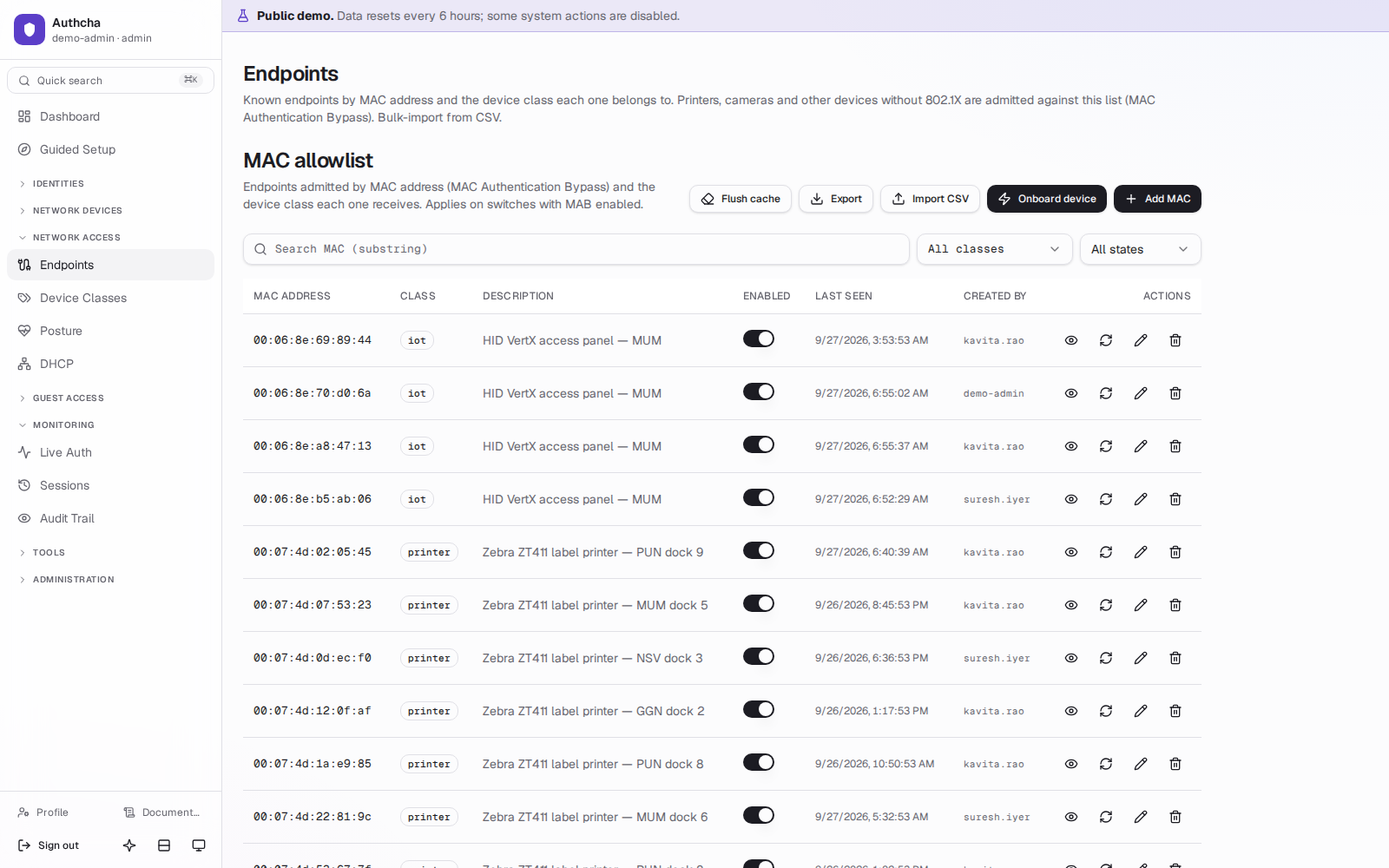
- MAC Authentication BypassPhones, printers, cameras and ONTs by allow-list, cached in Redis for re-auth storms.
- Device classesVLAN, QoS, bandwidth, session timeout and monthly quota per class, with per-MAC overrides.
- Quotas and CoAOver-quota sessions are disconnected with RFC 5176 CoA, not just refused next time.
Guest access
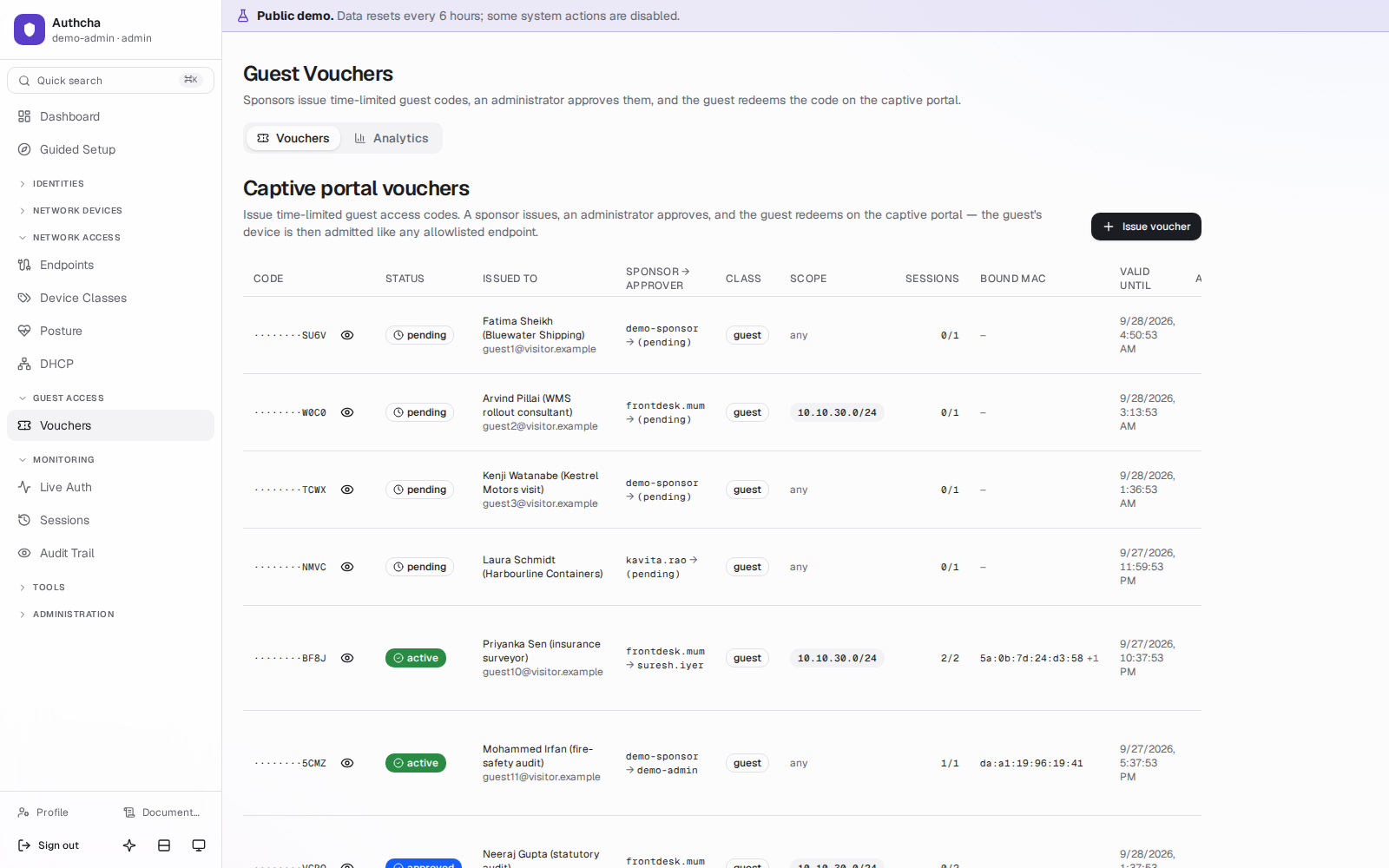
Vouchers for visitors, with a paper trail of who asked and who approved.
Guest access in detail- Sponsor and approver rolesFront-desk staff issue vouchers; an admin approves them.
- Captive-portal redeem pageA public page your portal can embed; the voucher binds to the guest's MAC.
- Anti-enumerationEvery failed redemption gets the same answer; the real reason goes only to the log.
- Automatic expiryVouchers expire on schedule and their network access goes with them.
Endpoint posture
Check that a laptop is healthy before it gets its normal network.
Endpoint posture in detail- Posture agentWindows and Linux: antivirus, firewall, disk encryption, patch level, registry and process rules.
- Restrict, not rejectA non-compliant device lands in a quarantine VLAN instead of being locked out.
- Drift-triggered CoAA device that falls out of compliance mid-session is disconnected and re-evaluated.
- Policy per device classChoose which checks are required; nothing is enforced until you opt in.
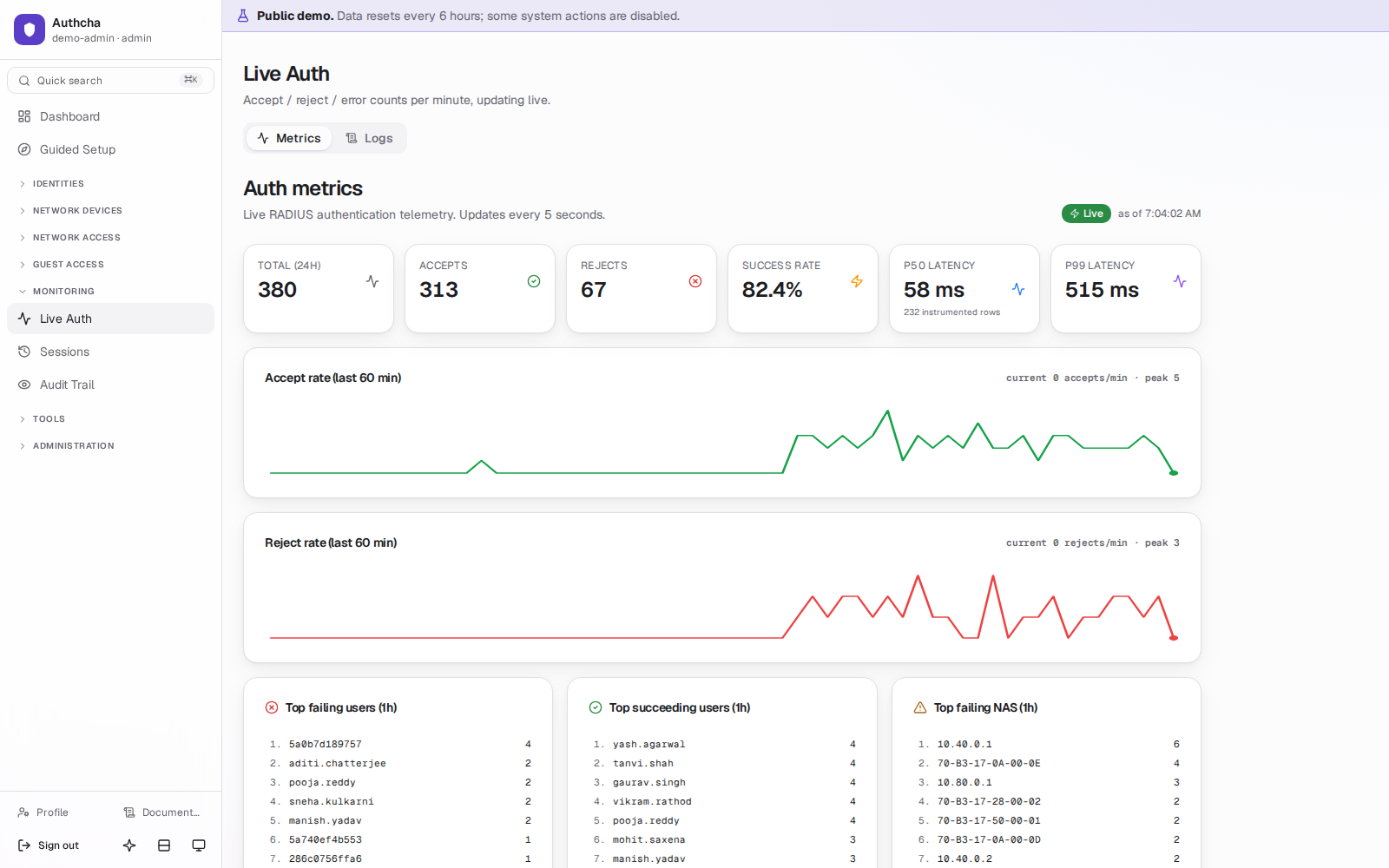
- Live auth and latencyStreaming auth log plus p50/p99 latency on the dashboard.
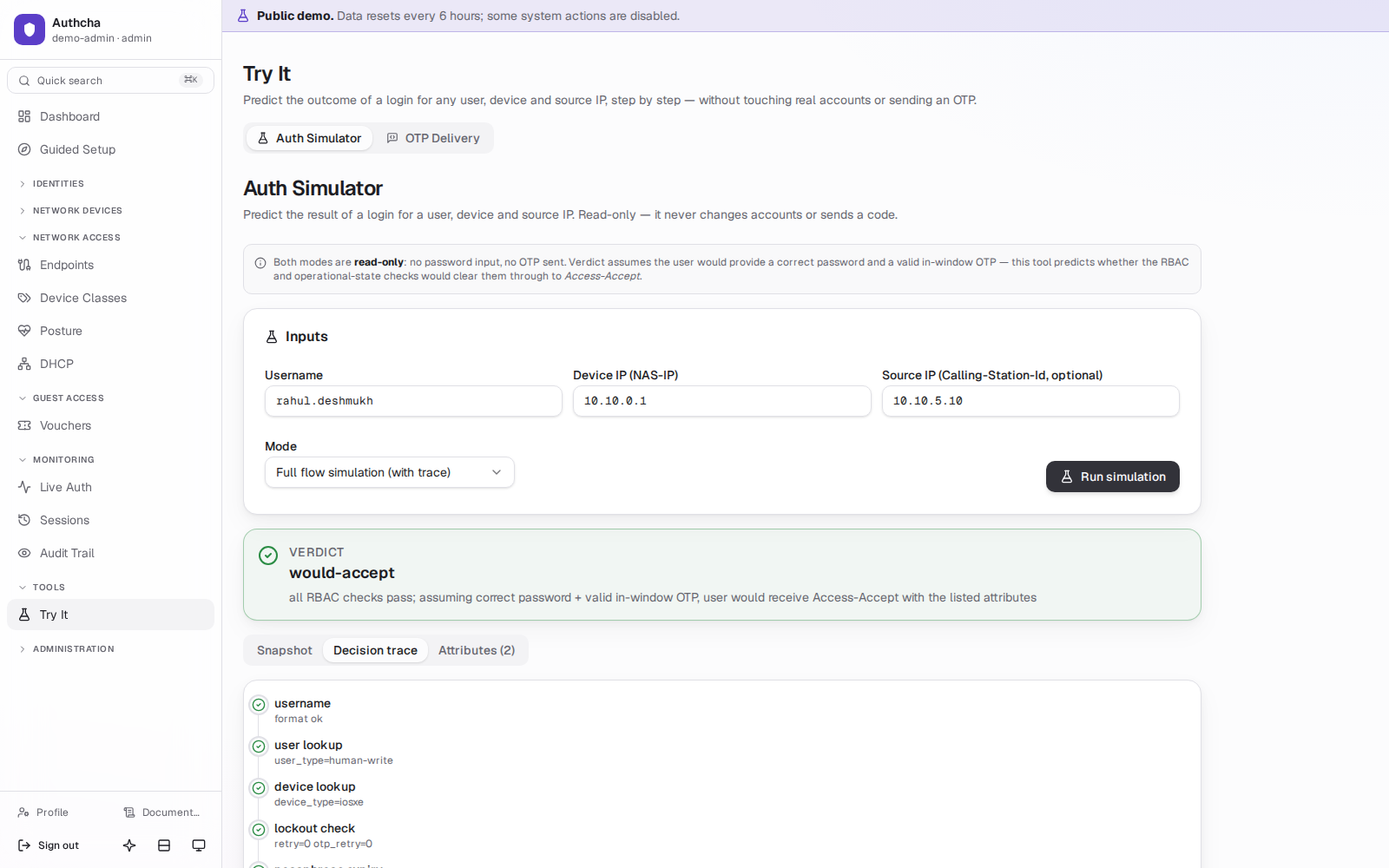
- Auth simulatorReproduce a user's login from the GUI without a real device.
- Audit trail with permalinksEvery admin change, who made it and from where, linkable in a ticket.
- SSO, TOTP, LDAP, APIOIDC for admins, TOTP, LDAP/FreeIPA sync and scoped API tokens.
Built for the people who get paged.
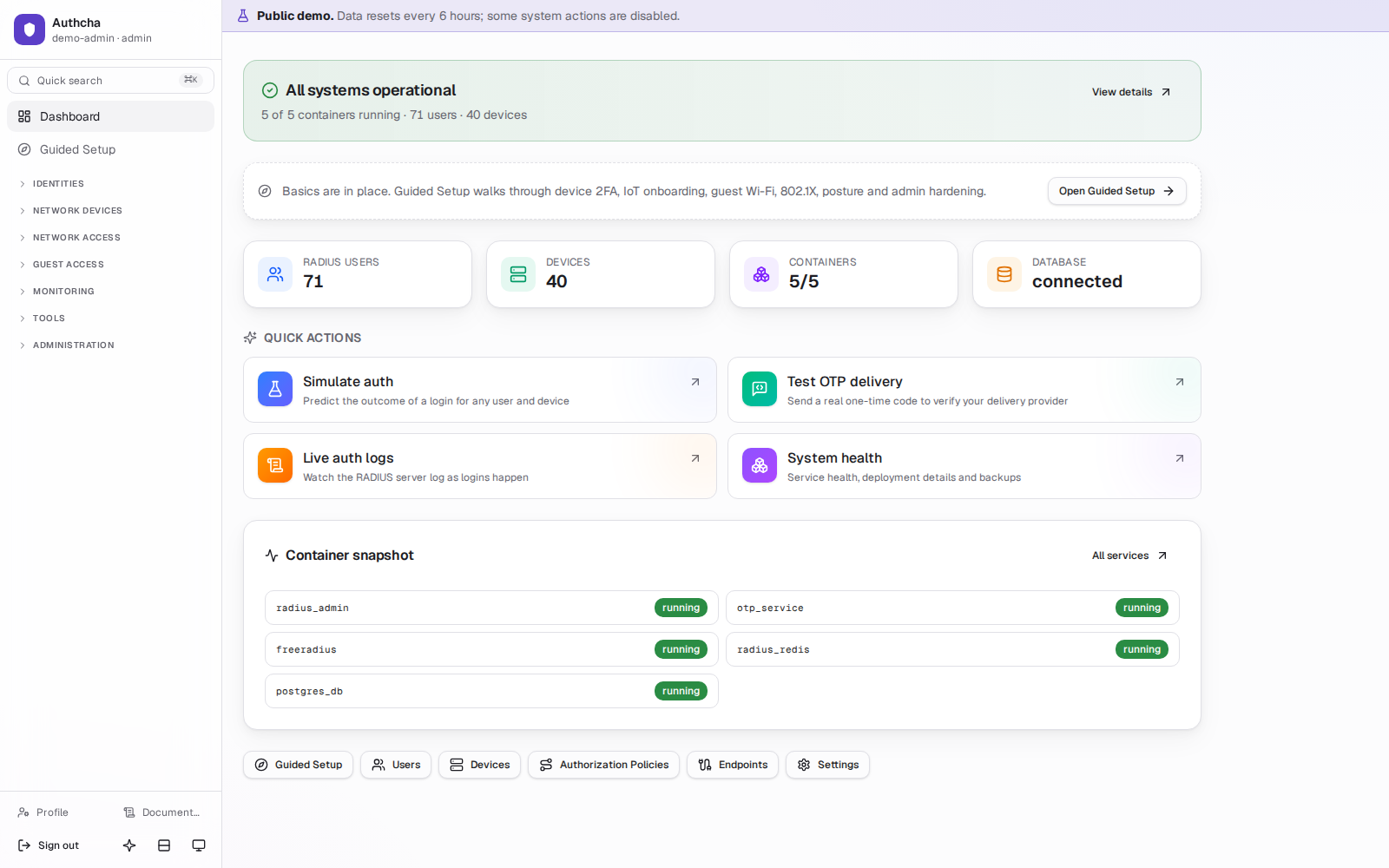
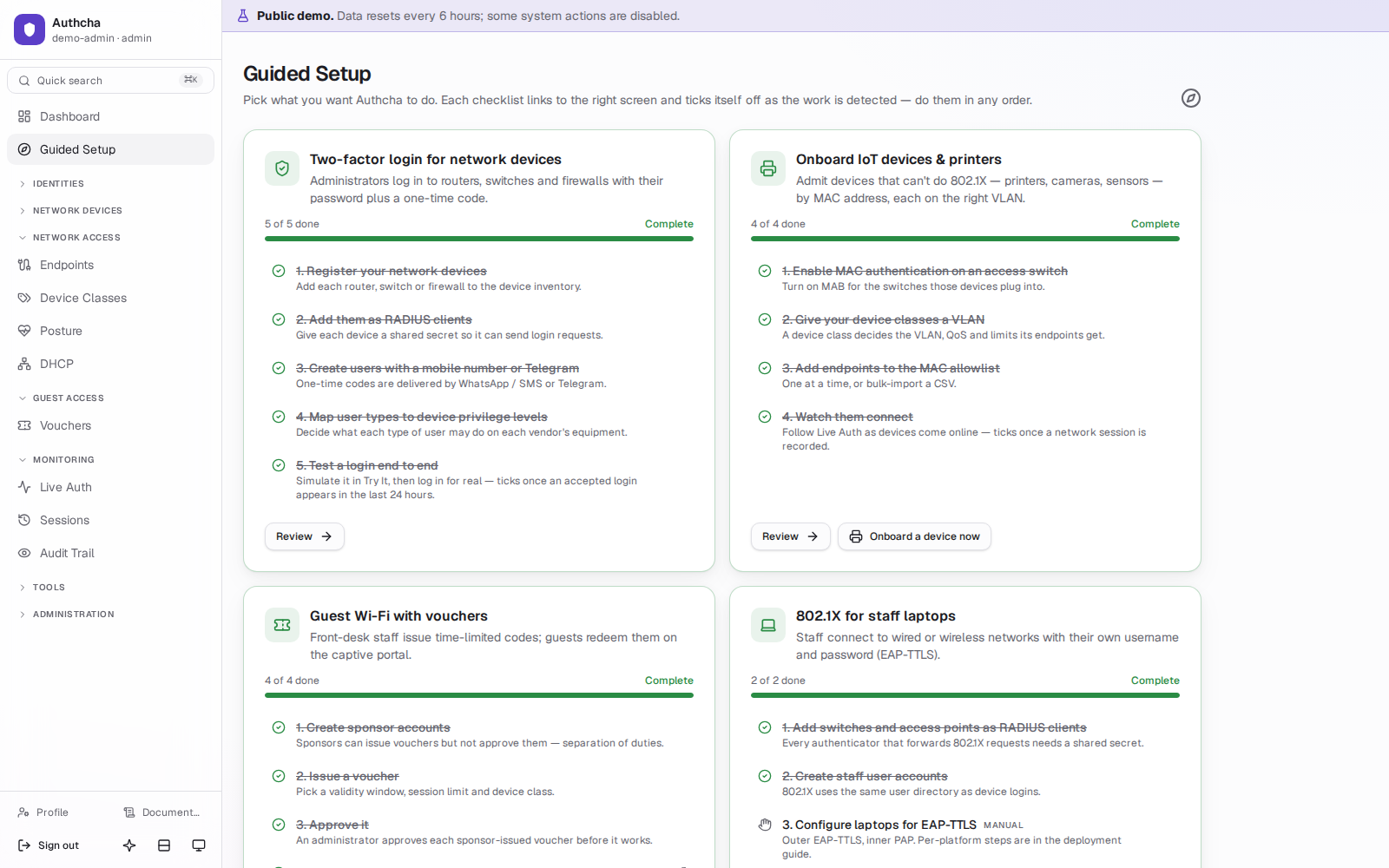
A web console for the whole stack: find out why a login failed, reproduce it, fix the policy and see the next request succeed, without SSH to the RADIUS box.
Designed to be audited.
Authcha sits in the path of every privileged login on your network, so it is built to keep working, keep records and keep your data at home.
| License checked offline | An Ed25519-signed license file, verified against a public key built into the product. No license server and no call home. An optional renewal-reminder check-in stays off unless you configure it. |
|---|---|
| Logins never wait on the license | An expired license pauses new provisioning only: new admins, devices, users and vouchers. OTP, 802.1X and MAB authentication continue, and existing devices are untouched. |
| 180 days of audit history | Every change made through the admin API is logged with who, what, when and source IP. Retention defaults to 180 days, matching the log-retention period in CERT-In's 2022 directions, and is configurable. |
| Backups that are restore-tested | Automatic backups every 6 hours with sha256 checksums, 14-day rotation and optional offsite copy. A weekly drill restores the backups to prove they work, and records the result. |
| No telemetry | Nothing leaves the deployment except the OTP channels and the offsite backup target you configure yourself. |
Runs on one Linux VM. Yours.
Authcha ships as Docker containers: FreeRADIUS, PostgreSQL, Redis, the admin console and a TLS proxy. The installer generates every secret on first run.
- Single-tenant: one instance, one database, one organisation.
- Suits air-gapped networks: license checks and the built-in docs need no internet.
- Most settings are live-edited in the console, with no restart.
- Outbound OTP traffic can go through your HTTP proxy.
- Bring your own TLS certificate for the console and for EAP.
$ sudo ./install.sh
# generates secrets, pulls images, starts the stack
$ docker compose ps
$ docker logs freeradius | grep Ready
Ready to process requests
| Evaluation | Recommended | Production | |
|---|---|---|---|
| CPU | 2 cores | 4–8 cores | 8+ cores |
| RAM | 4 GB | 8–16 GB | 16–32 GB |
| Disk | 20 GB | 50 GB SSD | 100 GB+ SSD |
Speaks your vendors' dialects.
Privilege and reply attributes come pre-seeded for 30+ platforms and are editable in the console. Any RFC 2865 NAS works with standard attributes.
- Cisco IOS
- Cisco IOS-XE
- Cisco IOS-XR
- Juniper Junos
- Nokia SR OS
- Arista EOS
- MikroTik RouterOS
- Fortinet FortiGate
- Palo Alto Networks
- Aruba
- Huawei
- HPE
- F5 BIG-IP
- Ruckus
- Extreme Networks
- Brocade
- Check Point
- ZTE
- Zyxel
- H3C
- D-Link
- Cambium
- and more
Product names are trademarks of their respective owners. Listing means Authcha ships attribute profiles for that platform; it does not imply endorsement, certification or partnership.
Log in to a working Authcha instance.
The public sandbox has sample devices, users, vouchers and live auth traffic. Use it as an admin, a read-only NOC engineer or a front-desk sponsor.